Tech & Gadgets
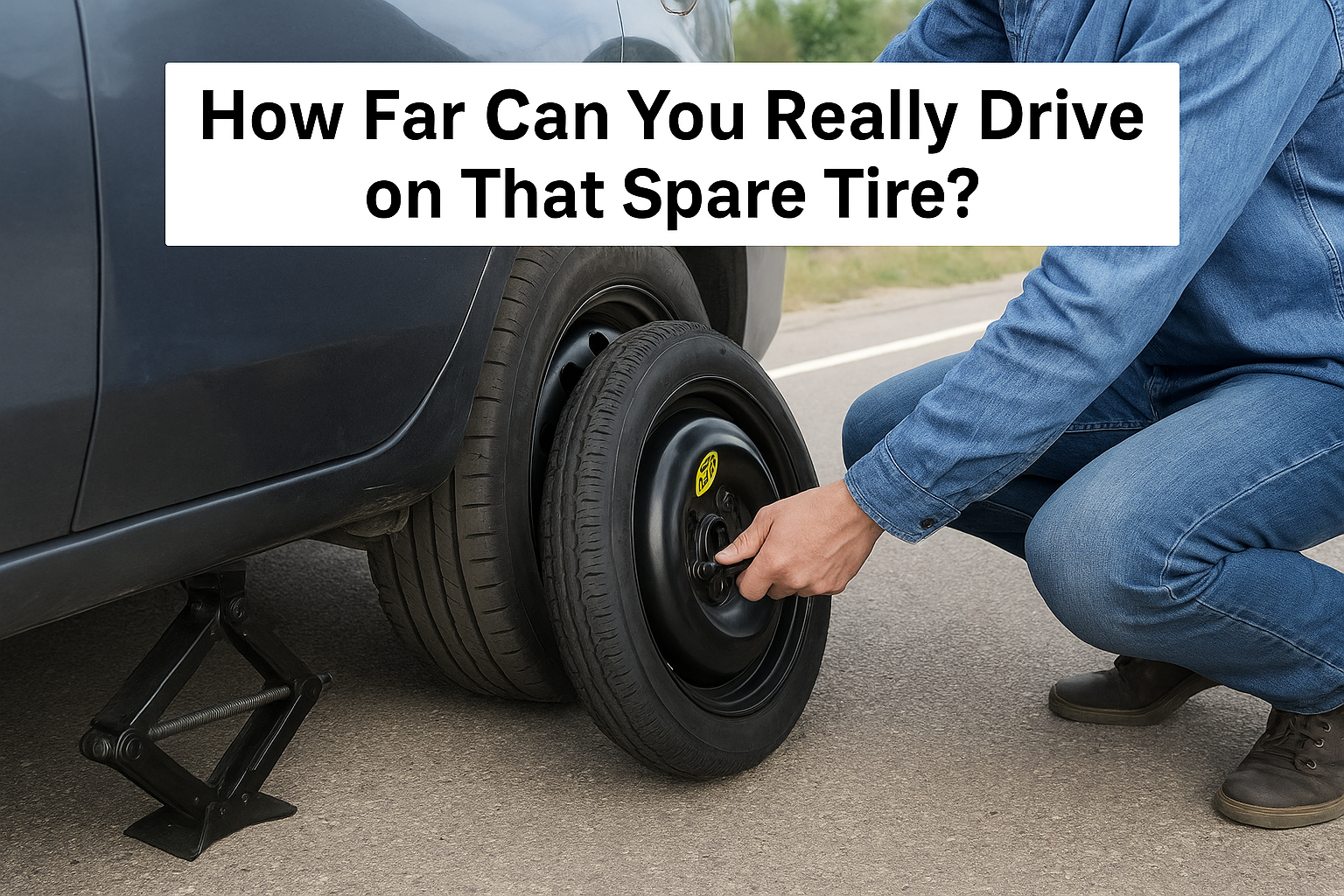
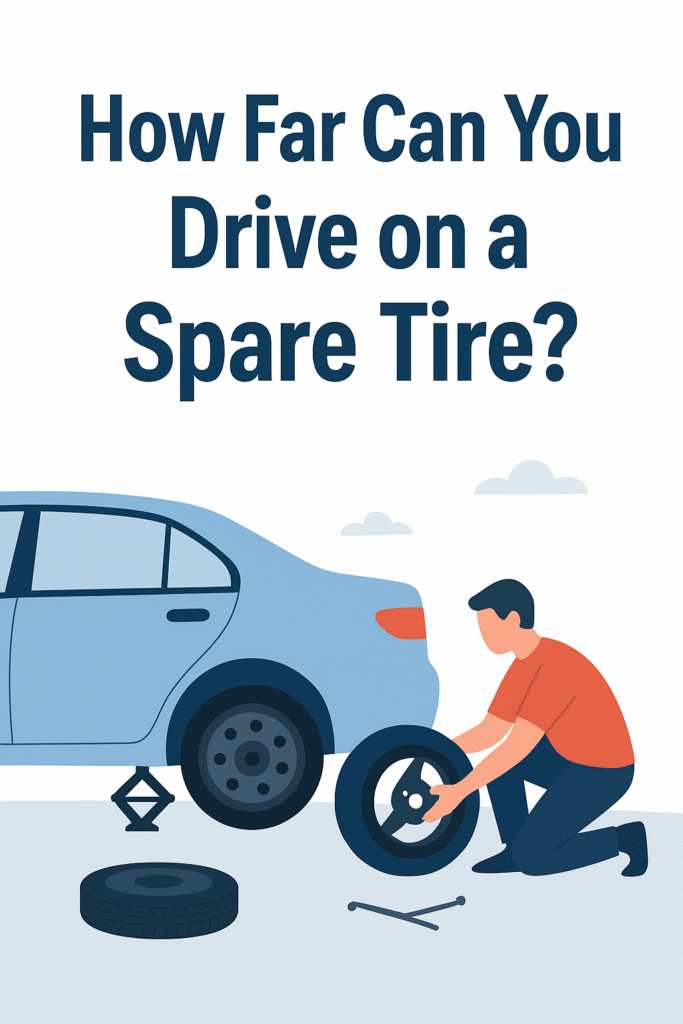
How Far Can You Really Drive on That Spare Tire?
Navigating the Road on Your Temporary Tire
From my experience, many drivers see the spare tire, often called a donut, as a simple fix after getting a flat, but it’s a temporary patch with a strict purpose: getting you to a safe location. Think of the “50/50 rule” as your guide: a maximum speed of 50 mph for no more than 50 miles. Pushing beyond this is incredibly dangerous, especially for your passengers. This is because a smaller donut completely changes your vehicle’s handling and puts uneven stress on the suspension and other components. It’s not built like a regular tire and can’t absorb significant impacts, which can lead to a total loss of control and create a higher risk of accidents.
When you first get a flat tire, your priority is managing the situation: turn on your hazard lights, slow down, and pull over. Once you replace the flat with the spare, your next goal is a repair shop. Continued driving on it isn’t just about the risk of another puncture; it’s about preventing further damage to the wheels or the rim. Any sudden attempt to maneuver quickly becomes a hazard itself.
The only real exception to this immediate need for a fix is if you have run-flat tires, which are designed to keep you going for about 50 miles after getting a flat. If you’re ever unsure about the process, a detailed, step-by-step guide is invaluable; our blog post, “How to Replace a Tire Safely,” can walk you through it.
How Long Can You Drive on a Spare Tire?
It is absolutely a misconception that a donut spare tire is a longer-term solution. When you get a flat, that compact spare is meant for temporary use to get you to a repair shop. I remember a time my friend tried to make it all the way to another city on his; it was a rough ride and a dangerous gamble.
In most cases, it is advised to avoid driving more than 50 miles on it, and its speed rating is usually no more than 70 mph. If you have a full-size spare, you might be able to drive a bit more, but its purpose is still to allow you time to replace your main tire as it is not a permanent to permanent replacement and is to be used in emergencies. The bottom line is, spare tires are not meant for continuous use. you need to get your main tire fixed or completely replaced as soon as possible.
How Fast Can You Drive on a Spare Tire?
On the highway, driving on a donut spare tire can feel like your car is an airplane ambling down a runway. It is designed with far less traction and durability than a standard tire, so you should never go faster than 50 mph. I’ve seen people try to push it, but you’re risking your vehicle’s stability and safety. The compact design means it spins at a faster rate as you drive, generating more heat and wear, which is not suitable for longer, faster journeys. You just wouldn’t get the same performance. The speed and distance limitations are in place for a good reason; the spare is a temporary fix, not a permanent solution for typical driving speeds.
How to Drive Safely on a Spare Tire
When you’re on a spare, it’s wise to give yourself extra space between you and other vehicles. The reduced size and treads of a donut can lead to inaccuracies in your vehicle’s speedometers. Using it can also cause your ABS light to turn on and your ABS function improperly.
This is because the smaller tire is spinning faster than the others, which confuses the sensor. For me, it was a surprise when my ABS light came on for the first time. My car started to brake a bit differently, so I had to be much more cautious. For this reason, it’s necessary to give yourself extra space for any surprises. Give yourself more time to react, and be extra careful driving in inclement weather. The temporary tires do not have advanced treads to provide the same level of traction as your regular ones, making them susceptible to hydroplaning in puddles.
You need to be prepared for the fact that a spare is not a safe permanent solution. Check your vehicle’s owner’s manual for information about the necessary type of spare tire and its proper inflation pressure. Many spare tires have a different inflation pressure needs and should be inspected for proper inflation even when it isn’t in use. They are often forgotten about, but it is important to check the pressure frequently, as a spare tire with low pressure will not be a much help. A spare tire’s lifetime is about ten years, so it’s wise to check the date on the tire so you can replace it before it is too old.
Stay Safe and Be Prepared with Top Driver
Top Driver is the Midwest’s premier driver education school, and we pride ourselves on preparing our students for everything they might encounter on the road. As a former instructor, I can tell you we take learning to drive seriously, and you are covered with our extensive curriculum. Each year, we provide countless hours of in-vehicle training for teen drivers and adult remedial courses, not to mention our free blog covering best road safety practices. Our school has more than 40 locations throughout Illinois, Ohio, and Michigan, so you’re never far from the best resource.
We have gone the extra mile to ensure the safety of our students and instructors. The coronavirus pandemic brought about new vehicle sanitization processes and remote classroom education opportunities. If you are looking for a new driver, our program is a great place to start. We have classes for beginners and those who just need a refresher, including how to handle flat tires, driving on spares, and more. My expertise, and that of Top Driver, takes pride in preparing new drivers to be confident and safe behind the wheel. We believe that proper training is the foundation for a lifetime of safe driving.
Full-Size Spare Tire
Larger vehicles, such as trucks and SUVs, often come with full-size spares. These spares are heavy and durable, and the problem is it’s not to the same extent as your car’s other tires. This can negatively impact your vehicle’s handling, particularly on Bay Point roads where I have personally experienced this. Even with a full-size tire, it’s a good idea to replace it as soon as you can. These spares aren’t used as often, so they might have a different wear pattern and compound than your other tires, which can affect your car’s stability.
Space-Saver Spare/Donut Tire
As the name suggests, space-savers were designed to save space and reduce weight in your car. Unfortunately, these compact spares don’t last long. I always advise my friends to be cautious and responsible with them. Generally, it’s urged you don’t exceed 70 miles of driving, or drive faster than 50 mph, while using a space-saver. Check your owner’s manual for exact mileage and speed recommendations for your specific vehicle.
Run-Flat Tire
Compared to regular tires, run-flat tires cost less to maintain. This is because they’re more resilient and can handle hazards such as punctures, which standard tires can’t. Instead of deflating, a punctured run-flat can ride for a long period of time, for about 50 miles before an inevitable replacement. It’s important to note these tires are more expensive to replace than your average tire, but their durability and safety features make them worth the cost for many drivers.
What if You Have a Tire Repair Kit Instead?
Some cars don’t come with a spare tire, but instead, a tire inflator kit for flat tires. Instead of asking yourself, “how long can I drive on a spare,” you may be asking yourself how far a tire repair kit goes. The answer is, probably not far. Inflator kits only work for certain repairs, such as a small puncture. If the tire blows out or the sidewall is damaged, these kits will likely be useless to you. My experience has shown me that these are a temporary fix at best. For this reason, it’s always smart to have a spare on hand, if possible.
Shop New Honda Tires at Winter Honda in Pittsburg!
If your car’s TPMS light illuminates, you should consider replacing your tire with a spare if you can’t make it to a service center. But you shouldn’t drive on a spare as your main tire. A friend of mine did this once and ended up causing more damage than good. It’s a risk that’s just not worth it. If you need new tires, the tire shop at Winter Honda can help you find authorized tires for your Honda model and trim. Our tire repair shop can also address scratches or punctures, so you don’t have to pay for tire replacement ahead of schedule.
We believe in making the process as smooth as possible for our customers. Schedule an appointment near Oakley and Concord. My experience working here has shown me that our team is dedicated to providing the best service and getting you back on the road safely. We offer reliable repairs to save you from having to buy a whole new set of tires, which is a great relief for many customers.

Tech & Gadgets
Can You Send Pictures on Hinge? Complete Guide to Hinge Photo Message Feature
Can You Send Pictures on Hinge – Photo Message Feature
Let’s say you are having a great chat with a match on Hinge. The talk is going well, and then you just took a funny picture of your dog. Or, you want to share a photo from your last trip. So, you look for the button to add a picture, but it is not there. This experience leads to a very common question: can you send pictures on Hinge?
As an experienced user, I can give you the short and simple answer: no, you cannot send pictures in Hinge messages.
This might seem odd, but it is a choice the app makers made on purpose. This guide will tell you all you need to know about Hinge’s rule on photo messages. We will look at why this rule is in place, and more importantly, we will also look at the smart ways you can share photos with your matches. By the end, you will know the reasons for this feature, and you will also have a clear plan for how to share your life in pictures without breaking any rules, typically by moving the conversation to another platform when you’re both comfortable.
Why Does Hinge Not Allow Photo Messaging in Chats?
From my experience, this is a key part of the app’s design because Hinge wants to make a good and nice dating place. The main reason you cannot send pictures in Hinge chats is for user safety and comfort. It’s clear that letting people send photos to each other can open the door to many problems. Therefore, this rule helps to make Hinge a safer space for all. Think of it this way: it is a step to stop the kind of actions that can make people want to leave a dating app.

How Does This Policy Protect Hinge Users from Unwanted Content?
Fundamentally, this policy makes a much more comfy space for everyone, especially for women. It ensures that users can have chats without the fear of getting a bad image out of the blue. The biggest reason for this rule is to stop people from sending nude photos they were not asked for. From experience, I can tell you this is a major problem on many other online sites.
So, by not letting people send photos, Hinge totally takes away the chance of someone sending you a bad picture. This focus on safety is very key to Hinge and its user experience.
Does This Rule Help to Reduce Spam and Scams?
Yes, it does. By blocking photo sharing in chats, Hinge makes it harder for scammers to work. From what I’ve observed, this is a crucial barrier because scammers often use photos to try to trick people. For example, they might use fake photos to make a fake person; they might also send pictures with links to scam websites.
This policy effectively shuts down those common tactics. It is one of many tools the app uses to keep the group safe and real.
Is This a Common Policy on Other Dating Apps?
Yes, it is a common policy now—many other popular dating apps have rules like this. From my experience working in tech safety, this is not just a trend; it has become a normal safety feature in the online dating world.
Apps like Bumble and Tinder also do not let you send photos in your messages once matched, and this simple approach is brilliant because it tackles the problem of unsolicited, inappropriate images head-on.
While apps that do let you share photos often have extra safety features—like photo checks that use AI—they often still miss things. But the most simple and best fix is to just not allow it at all, preventing harassment before it can even start.
So, Can You Send Pictures on Hinge in Any Other Way?
It’s true that you have limitations: You cannot send pictures in a message. This is a safety feature on the app, meant to ensure a better experience for everyone.
But that does not mean you can never share a new photo with a match, and I’ve found this specific workaround is actually the official Hinge way to do it.
👉 The main way to share photos on Hinge is through your profile.
Think of it this way: Your profile is your space to show who you are through your pictures. A match can easily view your entire profile, so you can strategically add your new photo and point them to it.
If you want to share a new photo, replace one of your existing slots—perhaps a quick snap of your dinner or a funny moment—and then send a simple text saying:
“Check my last photo.”
It’s not as fast as a direct message, but it works within Hinge’s safety framework.
How Can You Use Your Profile if You Can’t Send Pictures on Hinge?
Let’s say you are talking to a match about your new puppy, and you want to show them a picture. Since Hinge doesn’t let you send pictures directly in the chat, here’s what you can do:
- Go to your profile settings.
- Tap on one of your six photo spots.
- Add or replace a picture (like your puppy).
Then, go back to your chat and say:
“I just added a picture of my new puppy to my profile for you to see. Let me know what you think.”
This uses your existing profile as a temporary gallery—a clever way to share the moment.
What Are the Limitations of Sharing Photos This Way?
While using your Hinge profile as a temporary gallery is clever, it has limits.
You only have six photo slots, so you might need to remove a good photo to make room for a new one. This can change how other potential matches see your profile.
Also, it’s not private. Anyone who views your profile can see that photo before your match does, taking away some of the special meaning.
Can You Send Pictures on Hinge Using a Different Method?
Yes — the other main way is by moving the chat off Hinge.
After you’ve built trust, you can exchange phone numbers or social media. This is a normal step and solves the photo-sharing problem.
Once you’re on WhatsApp, Instagram, or iMessage, you can send unlimited photos safely.

When Is the Right Time to Move the Conversation Off Hinge?
Timing is key. Moving off the app is a big step—it means you both feel a real spark.
If you ask too soon, it can seem pushy. If you wait too long, the chat may lose momentum.
Look for a natural, high-energy moment when both of you are engaged and enjoying the chat.
How Long Should You Chat Before Asking for Their Number?
There’s no fixed rule, but a good guide is after a day or two of meaningful chat.
Ask yourself:
- Are you both showing interest?
- Are you exchanging thoughtful responses?
If yes, that’s a good time to suggest moving off the app.
What Is the Best Way to Ask to Switch Apps?
Be smooth, not pushy.
Here are examples that work well:
“I’d love to show you that picture of my baking fail. Is it cool if we switch to text? My number is…”
or
“I’m having a great time chatting with you. I’d love to share more travel photos. Are you on Instagram?”
Giving your number first feels less demanding and keeps things comfortable.
Safely Moving Off-App
Moving off the app does come with privacy risks. When you share your phone number or social handle, you give access to more of your personal life.
Only share this info once you trust the person. If something feels off, it’s okay to say no.
For more info, you can read resources like UC Berkeley’s Online Safety Guide — it provides excellent privacy advice.
What Are Different Types of Likes on Hinge and How Do They Relate to Sharing Pictures?
The different likes—Normal Likes, Roses, and Priority Likes—are for showing initial interest, not for sending pictures.
However, sending a Rose can spark a stronger chat, which can then lead to exchanging numbers and sharing photos later.
What Are the Alternatives If You Can’t Send Pictures on Hinge?
If you don’t want to move off the app yet, get creative with your words!
This limitation can actually lead to better conversations because it pushes you to describe things vividly instead of just sending an image.
How Can You Use Words If You Can’t Send Pictures on Hinge?
Instead of sending a photo, paint a picture with your words.
Example:
“My dog is sleeping upside down on the couch, all four paws in the air, snoring like a tractor.”
That kind of description creates imagery that can be more charming than an actual picture.
Using Emojis
While you can’t send pictures, emojis add visual energy to chats.
They make messages more expressive and fun.
Example:
“😂🐶🍕✈️”
A quick emoji line can summarize an event and keep conversations lively.
How Does This Limitation Encourage Better Connections?
Not being able to send pictures pushes you to connect through conversation, not visuals.
It helps you learn about humor, personality, and mindset — the foundation of stronger, more genuine relationships.
What Is the Final Verdict on Sending Pictures on Hinge?
The final answer: No, you cannot send pictures in Hinge chats.
But, you can still share visuals safely — by updating your profile or switching apps once trust is built.
This keeps the app safe, respectful, and focused on real connection.
What Is the Most Important Thing to Remember About Sharing Photos?
Always prioritize safety and consent.
Never rush someone to move off the app or share personal info before they’re ready.
Patience builds trust — and that’s the key to a lasting connection.
How Can You Make the Most of Hinge Without Sending Photos?
Use your words. Be clear, witty, and authentic.
Hinge’s design encourages meaningful conversations — it’s not a bug, it’s a feature that promotes deeper connections.
What Is the Best Way to Think About This Feature?
Think of it as a positive design choice.
It filters out unwanted behavior and promotes thoughtful communication.
In the end, “Can you send pictures on Hinge?” becomes less of a problem and more of a reminder — that real connections start with good conversation, not just pictures.
Tech & Gadgets
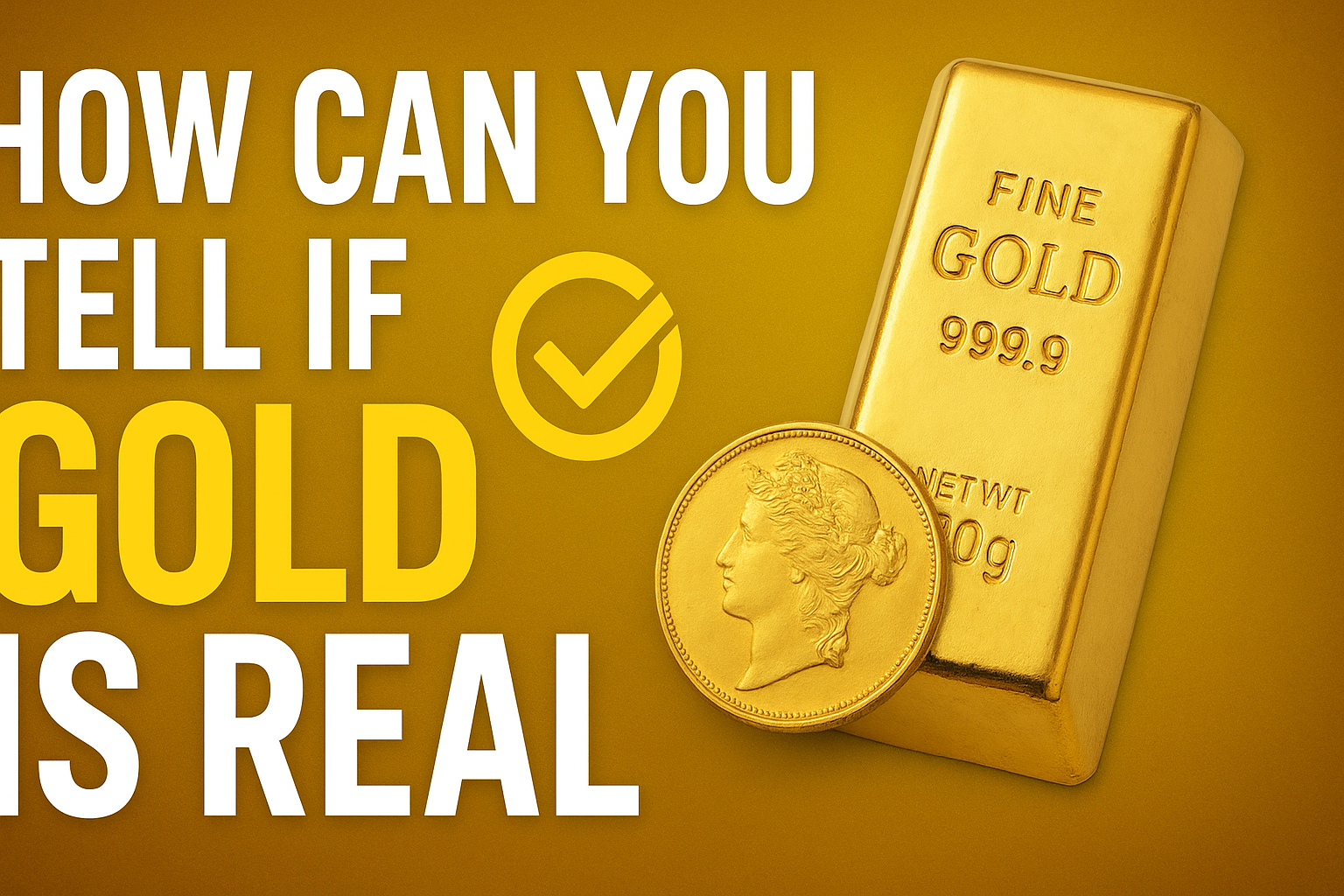
🟡 How Can You Tell If Gold Is Real
💎 How to Verify Real Gold
When it comes to purchasing precious metals for your home portfolio, knowing how to tell if gold is real is essential. The market is unfortunately filled with fake items, and unscrupulous sellers often make it difficult to distinguish authentic bullion from counterfeit pieces. This risk exists for everything from coins and bars to Jewellery.
To avoid spending your money on a worthless item, you must always prioritize authenticity and buying from a reputable dealer like BullionByPost. I’ve personally seen the costly mistakes made when individuals neglect to check the source of their gold. Real gold has unique properties—such as a specific weight—that differentiate it from silver or other base metals often used in fakes.
To assure you are buying real gold, dealers need to employ accurate tests. While some tests can be done yourself at home, like specific gravity tests, the most reliable methods are utilized after gold has been manufactured. A highly sought culture of trust is built when dealers consistently meet LBMA-approved refiners targets.
We recommend you save yourself the hassle and risk by solely dealing with those who rigorously test every single piece. For instance, when we buy second-hand items back from a private customer, we thoroughly test them to ensure their purity. Knowing the history and verification process of your valuable metal is the best defense against counterfeit gold.
1️⃣ Test Its Size and Weight
Verifying Gold Through Physical Specifications
A fundamental method to test the authenticity of your bullion is to check its physical properties, primarily its size and weight. Because gold is the densest one of all stable metals on planet Earth, it’s incredibly hard to replicate.
This density is the point that makes fake gold coins and bars so easily identifiable. For one thing, a fake coin’s weight will be noticeably lighter than a real one of the same diameter and thickness, because any other metal used to copy it would have to be thicker or wider to match the correct weight, giving itself away instantly.
This simple fact applies primarily to bullion coins and bars which are set to certain specifications—a gold ounce Britannia, for example, has a specified diameter and weight.
Knowing the specified weight for a coin like the Britannia (or any other) is your reference. If you take a potential fake and weigh it against a real one, and the fake is much less than the known weight, it’s more than likely a fake.
Furthermore, if a suspect coin’s diameter or thickness doesn’t allow for the correct weight, it’s certainly suspect. I always say that if a coin feels compact but is significantly lighter, you can identify it as a fake straight away.
While it’s relatively easy to replicate the visual look of a gold coin, replicate its specific weight and size simultaneously is extremely hard and this test is often all you used to need.
2️⃣ Magnet Test
The Magnet Test for Gold
One of the most straightforward tests you can perform right at home requires minimal equipment: a strong magnet. This is an important initial method for testing if your gold is real. Pure gold is not magnetic.
Therefore, if you try to use the magnet on your bar or coin, and it sticks, you can be sure the item is a fake. It’s easy because this test works on the simple findings that several other metals are magnetic, and if your gold contains one of these metals, the magnet will pick it up.
We recommend you take care, however, as this check only helps identify if other metals are present—it could not tell you the purity of the gold itself.
A piece of gold jewellery or a lower-purity coin like a Sovereign (916.7 purity) is not pure gold (999.9), but an alloy that contains other metals, and those metals are not magnetic, so the item will pass the test even if it’s not pure gold.
While several tests are needed for absolute purity confirmation, the magnet test is a good starting guide.
For instance, a gold coin (or bar) that is a fake will almost always be made from other magnetic metals to make them cheaper. So, if you try the magnet on your bullion coin or bar and it is magnetic, you will know it’s not gold at all.
This test is generally more useful for bullion coins and bars than for jewellery because jewellery is mentioned to contain an alloy for strength. If your item is magnetic, it’s well a fake—a simple, easy check from your home.
3️⃣ Testing Gold by Its Sound
Listening for the Gold Ping Test
Another often-overlooked test to tell if your gold coin is real is by listening to the sound it makes when struck. This method, sometimes called the “ping test,” highlights a key difference between precious metals and non-precious metals.
To perform this, balance the coin gently on one finger and give it a light tapping or very gentle strike. A pure gold coin is known to make a long, high-pitched ringing sound, often described as a clear “ping.”
Conversely, when a fake coin is struck, the sound will be shorter and much duller because it’s typically made of a base metal. This is an obvious giveaway, as the ringing from other metals used in fakes will not last as long as that produced by gold.
The simple quality of the sound lets you tell if the coin is pure gold or a less dense metal. I’ve personally used this method many times—the bright, sustained ringing of a genuine gold piece is unmistakable.
4️⃣ Ceramic Test
The Unglazed Ceramic Plate Test
Here is another quick and uncomplicated way to test your gold: the ceramic test.
This is a test you can do at home with minimal fuss. Just draw your gold across an unglazed ceramic plate with a little pressure. This simple dragging technique works because the soft nature of real gold means a trace amount is left behind.
If you can see a gold mark on the ceramic once you’ve done this, then the gold is real. However, if the mark is black, then it is fake.
This ceramic plate test is a fantastic indicator to distinguish your gold from a fake item, as the physical reaction is obvious. I always keep a small unglazed ceramic tile handy because it’s so reliable for an initial screen.

5️⃣ Nitric Acid Test
The Gold Purity Test Using Nitric Acid
Moving on from the simple surface checks, the Nitric Acid Test is a more advanced step, yet it is the least straightforward of these tests, primarily because you risk damaging your metal unless it’s pure gold.
The premise behind this test is that gold is resistant to oxidation and corrosion, so pure gold will not be affected by the acid.
This chemical resistance is one of the unique properties that gold is known for, and the test uses different strengths of acid as a precise method to test different carats.
I’ve personally observed that for those less experienced, the risk of damaging a valuable piece means this is often best left to a dealer.
The goal is to match the item’s reaction to the acid’s strength. Gold that doesn’t react to the acid is at least as pure as the carat rating suggested, if not higher.
Conversely, if you apply acid marked for 22 carat gold to your 24 carat bar, you know that your gold is at best 22 carat gold, and maybe not gold at all.
This test is a definitive measure against fake metal.
While there are plenty of other ways to tell if your gold is real, such as the soft nature of 24 carat gold which means that your teeth would leave slight marks if biting down on gold (an old favourite that is not the safest or most accurate method and we certainly wouldn’t recommend it), acid testing offers a scientific way to gauge the content.
Beyond physical checks, you might also notice that in the case of jewellery, fake gold leaves a mark on your skin the longer you wear it—a sure sign that base metals are present.
But indeed, the best way to know if your gold is real is to leave yourself with no doubt in the first place, by buying from a reputable dealer such as BullionByPost.
We don’t rely on minimal at-home checks; we buy our gold from LBMA-approved refiners, or in the case of second-hand items being bought back from customers, we test them using an XRF machine.
These machines let us check if a metal is real and how pure it is, quickly and without damaging it. The high-tech XRF machine eliminates the risk of permanent damage associated with acid and provides a definitive answer for every single item, whether it’s a bar or a piece of jewellery.
This technology is far better than any test I could perform at home with a nitric acid kit.
Tech & Gadgets
Does Instagram Notify When You Screenshot a Story?
Introduction
It’s a question many of us have asked ourselves while scrolling through Instagram: will the other person know if I screenshot their content? We’ve all been there, needing to save a funny meme, a beautiful photo, or a quick piece of information from someone’s story. The short answer, which will come as a relief to many of you, is generally no. But like most things on social media, there are a few important details to know.
The Truth About Stories, Posts, and Reels
You can breathe easy. Instagram does not notify users when you take a screenshot of their stories, posts, or reels. This is the current and stable policy, so feel free to capture that inspirational recipe or funny moment without any fear of being exposed.
I remember when this wasn’t the case. Back in 2018, Instagram actually ran a brief test where it would send a notification if you screenshotted a story. This was similar to Snapchat’s long-standing policy, but the public reaction was quite strong. Instagram listened to user feedback and quickly removed the feature. Now, you’re safe to screen shot to your heart’s content.
What About Direct Messages (DMs)?
This is where the rules change and you need to be extra careful. For most standard Direct Messages (DMs), you can screenshot a conversation without sending an alert. However, the only exception is a feature called Vanish Mode.
When you activate Vanish Mode in a chat, any photos, videos, or messages you send are disappearing after they have been viewed. If you try to screenshot this kind of content, the sender will be notified. This feature is built for heightened privacy, and it’s a great tool to ensure private conversations stay private.
The same rules apply to one-time-view photos and videos sent in a regular DM chat. My advice? If the content is meant to disappear, it’s best to respect that.

Final Thoughts on Privacy
While Instagram’s platform has changed its tune on screenshot notifications for stories and posts, it’s always smart to be mindful of your own privacy. You can use features like “Close Friends” to limit who sees your stories or make your entire profile private. But when it comes to capturing content from the public side of the app, you can rest assured that no notifications will be sent. Just remember to be respectful and follow basic online etiquette.
💡 If you’re interested in more Instagram insights, check out our detailed guide on How the Instagram Algorithm Works in 2025.
Instagram has long been a platform for sharing life’s fleeting and permanent moments, but a common question that arises for its hundreds of millions of users is about the app’s screenshot policy. The answer is nuanced, and it’s helpful to understand the different features and the philosophy behind them.
Why Instagram Doesn’t Notify You
Unlike its competitor Snapchat, which built its entire brand around temporary content and screenshot notifications, Instagram’s approach is designed to balance user experience with privacy. The general rule is simple: for most public-facing content, there is no notification. This policy is in place for several reasons:
1. User Freedom
Allowing users to freely save and share content from the platform encourages engagement and creativity. Whether it’s a quote, a recipe, or a meme, Instagram doesn’t want to discourage people from capturing and sharing moments.
2. The 2018 Test
Instagram did briefly test a screenshot notification feature for Stories in 2018. However, due to negative user feedback, the feature was quickly removed. It became clear that users valued the ability to screenshot without alerting the content creator.
3. Technical Complexity
From a technical standpoint, it’s nearly impossible to track all methods of capturing a screen. A user could simply use a second device to take a photo of their phone screen, or even use a desktop version of the app. By not implementing notifications, Instagram avoids creating a false sense of security for creators.
Screenshot Notifications: The Exceptions to the Rule
While the no-notification rule applies to a vast majority of the app, there is one key exception related to private conversations.
Direct Messages (DMs) and Vanish Mode
If you’re using Instagram’s DM feature, you can generally screenshot a regular text chat or a photo/video sent from a user’s phone gallery without a notification. The exception comes into play with content that is specifically designed to be temporary or “ephemeral.”
Disappearing Media
If a photo or video is sent with the “View Once” or “Allow Replay” setting, it is designed to vanish after a certain number of views. If you screenshot this type of content, the sender will be immediately notified.
Vanish Mode
This is a separate DM feature where messages disappear after the recipient has viewed them. If you screenshot a conversation while in Vanish Mode, the other person will be notified.
This system is in place to protect the privacy of sensitive content and to maintain the integrity of features meant for private, temporary communication. In some cases, your phone may even be programmed to block the screenshot attempt entirely to enforce this privacy.
Beyond Stories and DMs
For the sake of clarity, here’s how the policy applies to other parts of the app:
- Posts and Reels: You can take a screenshot or screen recording of any permanent post or Reel on a user’s profile or feed without a notification.
- Profiles and Highlights: Screenshotting a person’s profile, bio, or even their Story Highlights will not send any alerts.
- Video Calls: Instagram does not notify participants in a video call if someone takes a screenshot.
If you are a creator concerned about your content being saved, it’s best to use Instagram’s built-in privacy tools. You can make your account private, use the “Close Friends” list for Stories, and always be mindful that any content you post online can potentially be captured by a variety of methods.
Frequently Asked Questions (FAQs)
Q1: Does Instagram notify me when someone screenshots my Story?
No, Instagram does not notify you when someone takes a screenshot of your Story. This policy has been in place since 2018, when Instagram briefly tested a screenshot notification feature for Stories before removing it due to user feedback.
Q2: Will I be notified if someone screenshots my Posts, Reels, or profile?
No. You will not receive a notification if someone screenshots a public Post, Reel, or your profile page. The same applies to screen recordings of this content.
Q3: Does Instagram notify when you screenshot a Direct Message (DM)?
In most cases, no. You can take a screenshot of a regular text conversation in a DM without sending a notification to the other person.
Q4: When does Instagram notify for a screenshot in a DM?
Instagram will only notify the sender if you take a screenshot or screen recording of a disappearing photo or video. This also applies to any messages sent using “Vanish Mode,” which is designed for private, temporary conversations.
Q5: Why doesn’t Instagram notify for screenshots on most content?
The company’s approach is to balance privacy with a smooth user experience. Screenshot notifications can make people hesitant to share and engage freely. Additionally, it is technically challenging to reliably detect every method of a screenshot, so a no-notification policy avoids giving users a false sense of security.
-
Fashion56 years agoThese ’90s fashion trends are making a comeback in 2017
-
Entertainment56 years agoThe final 6 ‘Game of Thrones’ episodes might feel like a full season
-
Fashion56 years agoAccording to Dior Couture, this taboo fashion accessory is back
-
Entertainment56 years agoThe old and New Edition cast comes together to perform
-
Sports56 years agoPhillies’ Aaron Altherr makes mind-boggling barehanded play
-
Business56 years agoUber and Lyft are finally available in all of New York State
-
Sports56 years agoSteph Curry finally got the contract he deserves from the Warriors
-
Entertainment56 years agoDisney’s live-action Aladdin finally finds its stars